Websites by industry02 / 12
Home and local service websites that make the phone ring
For trades, cleaners, clinics, salons and studios that serve people nearby. A local service site has one job: turn someone with a problem into a booked visit. It has to answer fast: do you come to me, what does it cost, how soon, and can I trust you.
Instant estimateSample data
Your clean
Time on site
Prices come from the CMSEnds in booking
What goes on a local services website
9 parts, top to bottom. Each one has a job in the sale, and each is shown on a real site that does it well. None of these sites is my work. Most are picked for how they look as well as what they say; the few picked only for what they say are marked.
Part 01 / 09
What, where, and how to book
Someone who needs a dentist or a plumber decides in seconds whether you fit. The first screen names the service, the area you cover and the two ways to start, booking and calling, with the number written out, and one line of proof.
Where it goes wrongA slideshow of stock photos, with the phone number hidden in the footer.
Picked for the design and what it says
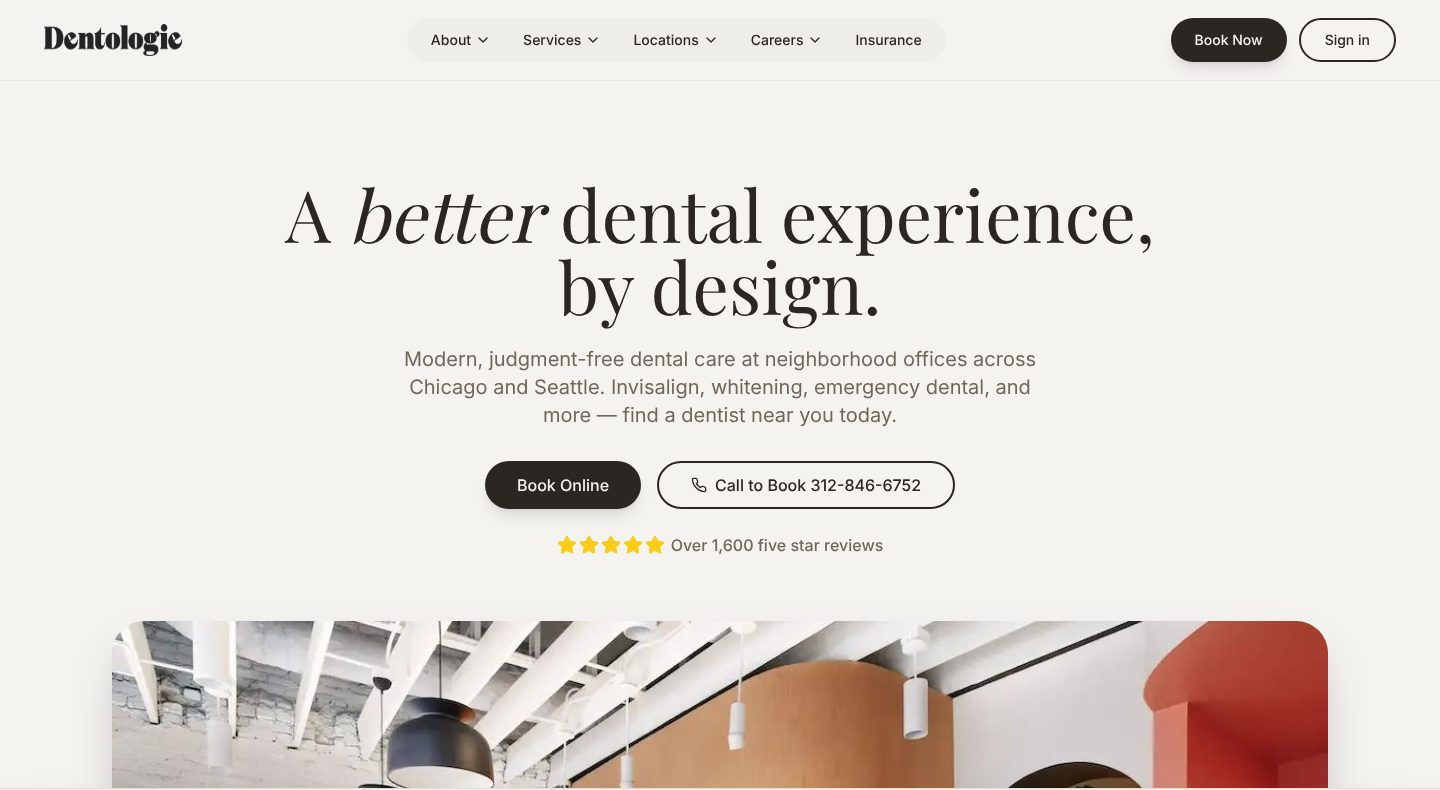
Example Dentologie. A first screen that names the service, the cities and both ways to book.
- 1
The headline sells the visit, not the procedure: a better dental experience. That is what someone who puts off the dentist is weighing.
- 2
One sentence covers what and where: neighbourhood offices in Chicago and Seattle, Invisalign, whitening and emergency dental.
- 3
Two ways to start, side by side: book online, or call, with the number written on the button.
- 4
One line of proof under the buttons: over 1,600 five-star reviews.
- 5
Book Now sits in the top bar as well, as a dark button set apart from the menu.
Part 02 / 09
A price before the call
Many people put off calling because they do not know what it will cost. A starting price for each job, or a quote that takes a minute online, answers the question they are afraid to ask, and brings in the ones who can afford you.
Where it goes wrong“Call us for a free quote”, and nothing about price.
Picked for the design and what it says
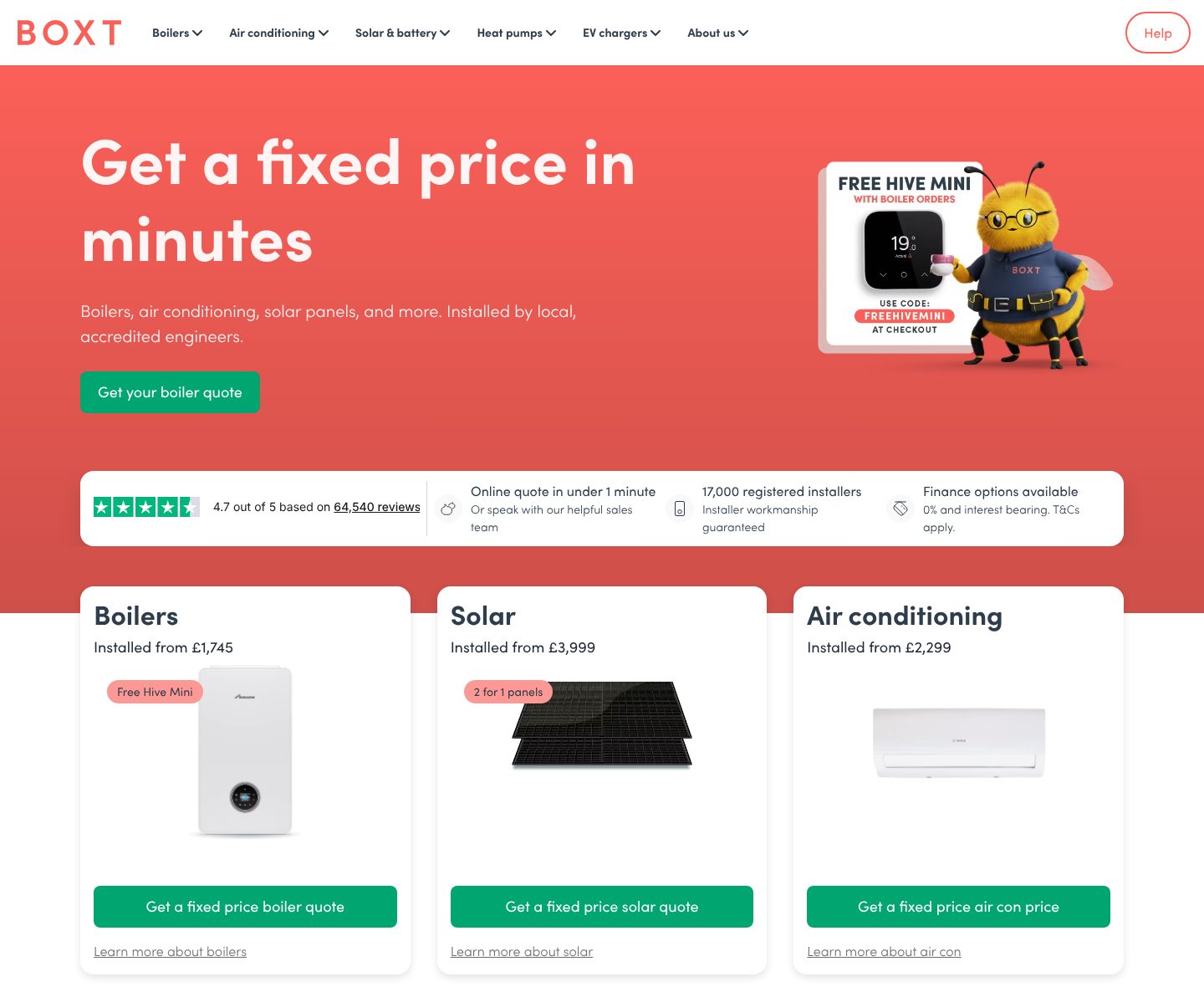
Example BOXT. A home page built around the price: a quote in minutes and a starting figure on every product.
- 1
The headline is the offer: a fixed price in minutes. What people dread about a new boiler is the cost, and the page leads with it.
- 2
The rating sits right under it, with the count behind it: 4.7 out of 5 from 64,540 reviews.
- 3
How long it takes, and a way out for people who would rather talk: a quote online in under a minute, or a call with the sales team.
- 4
Every product opens with a starting price: boilers installed from £1,745. A visitor knows the range before giving any details.
- 5
The button repeats the promise for that product: get a fixed price boiler quote, not “learn more”.
Part 03 / 09
Promises that remove the hassle
People switch local providers because of waiting, rushing and surprise bills. Name the ones you have solved, in plain words: how soon you can see them, what is included, what costs extra.
Where it goes wrong“Quality service you can trust”, which every competitor says too.
Picked for the design and what it says
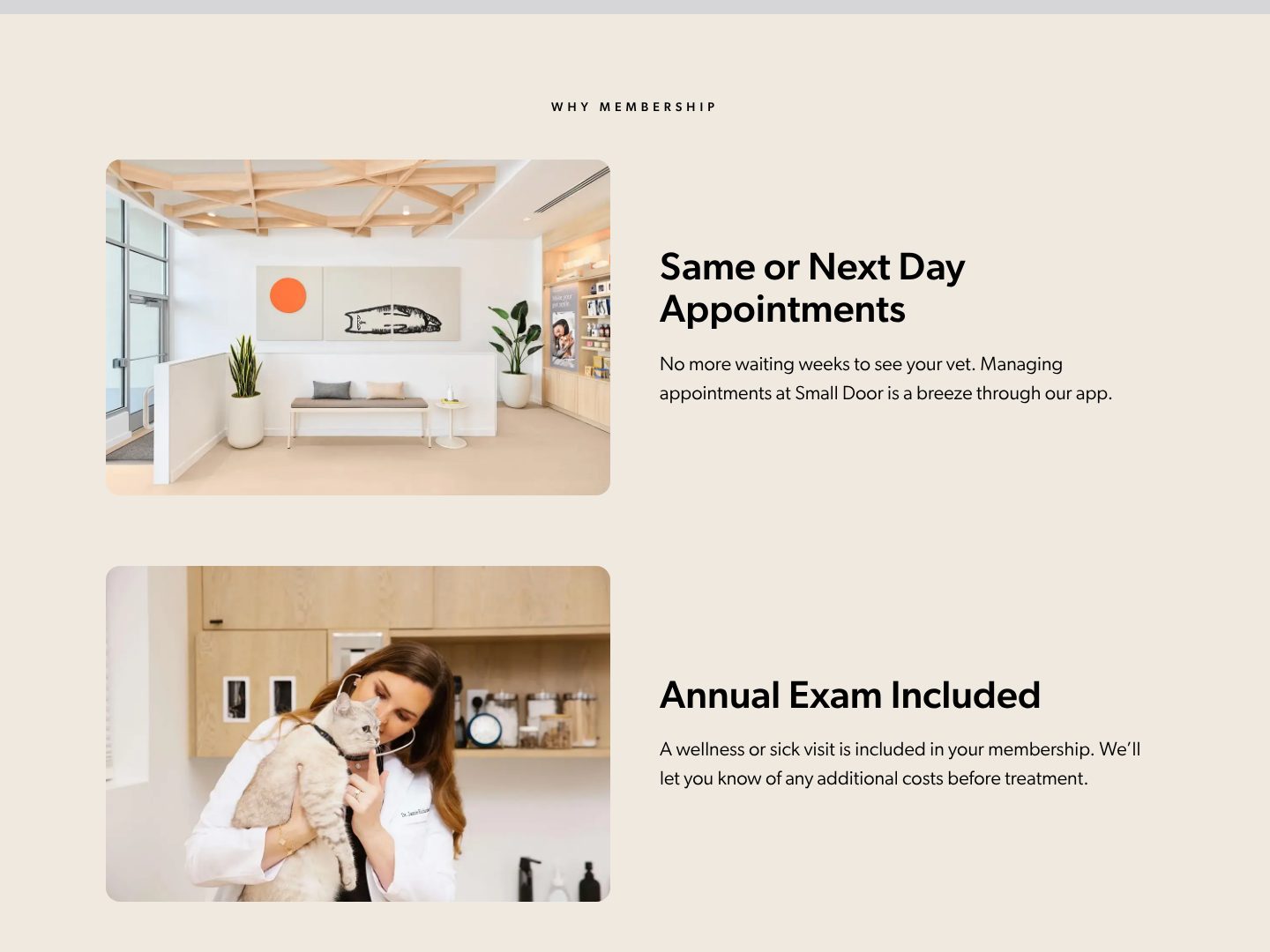
Example Small Door. Each promise answers a worry about the old vet, beside a photo of a real clinic.
- 1
The first promise is about time: same or next day appointments, instead of waiting weeks.
- 2
Each promise gets one line on how: appointments are managed in the app.
- 3
A real photo of the clinic beside the promise: the calm waiting room a new client will walk into.
- 4
No surprise bills: the visit is included, and any extra cost is named before treatment.
- 5
A vet at work, with a cat, in the clinic. The photos show the people and the rooms a new client meets.
Part 04 / 09
Ratings from where people check
People check reviews before they let someone into their home or hand over their pet. Show the ratings from the places they trust, with the number of reviews, and let real customers speak under their own names.
Where it goes wrongThree anonymous five-star quotes with no source.
Picked for the design and what it says
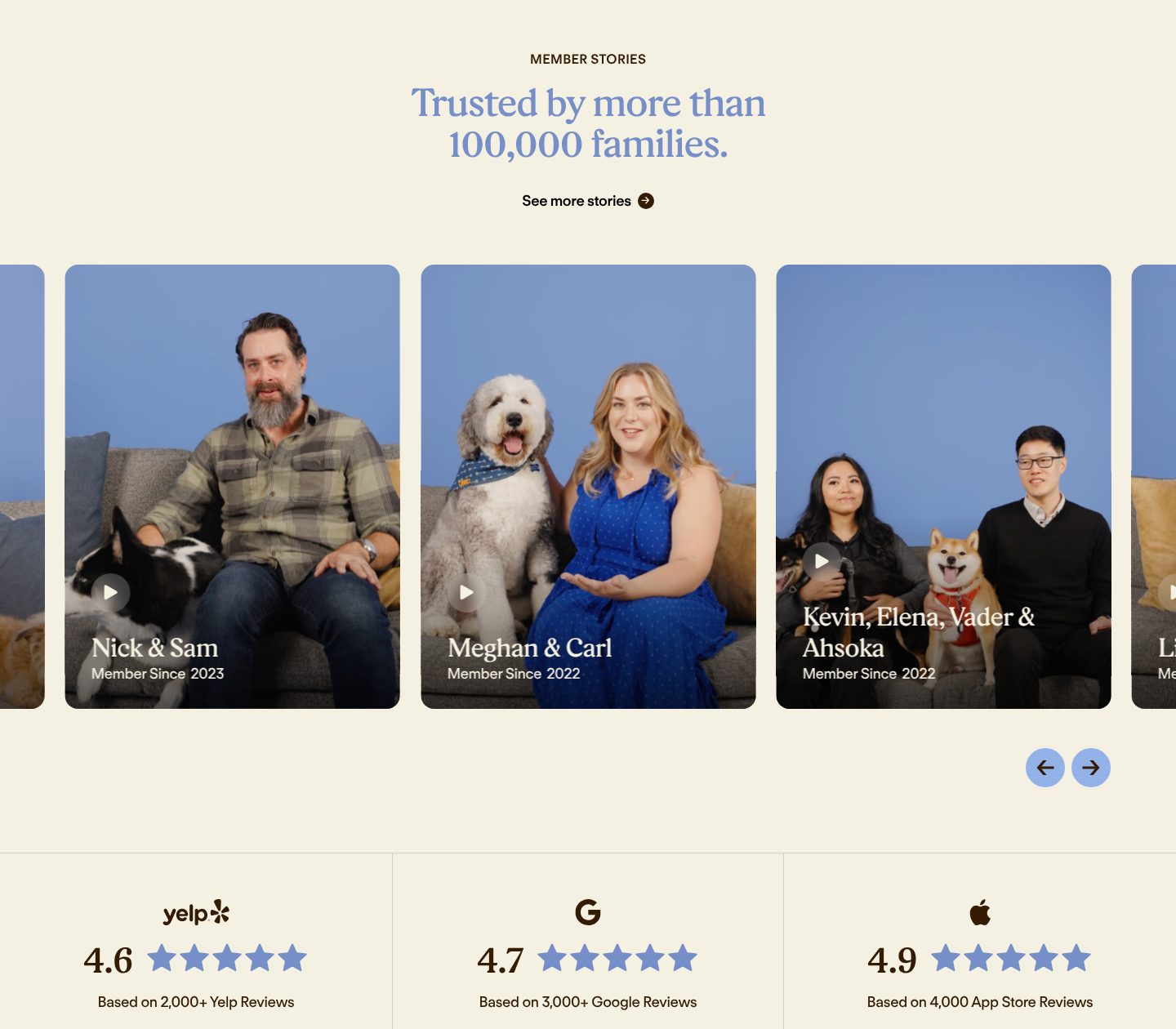
Example Modern Animal. Video stories from named members, and ratings from three places with the counts.
- 1
One number for scale: trusted by more than 100,000 families.
- 2
More stories are one click away, for the visitor who wants to hear from someone like them.
- 3
Real members on video, named, with the year they joined.
- 4
Ratings from Yelp, Google and the App Store, each with the number of reviews behind it: 4.6 from 2,000+, 4.7 from 3,000+, 4.9 from 4,000.
Part 05 / 09
Near you, on a map
The first question about a local business is whether it is near me. A list of the areas or offices, with a map, answers it at a glance, and each place can lead to its own page with the address, hours and team.
Where it goes wrongAn address in the footer, or “serving the greater area” with no towns named.
Picked for the design and what it says
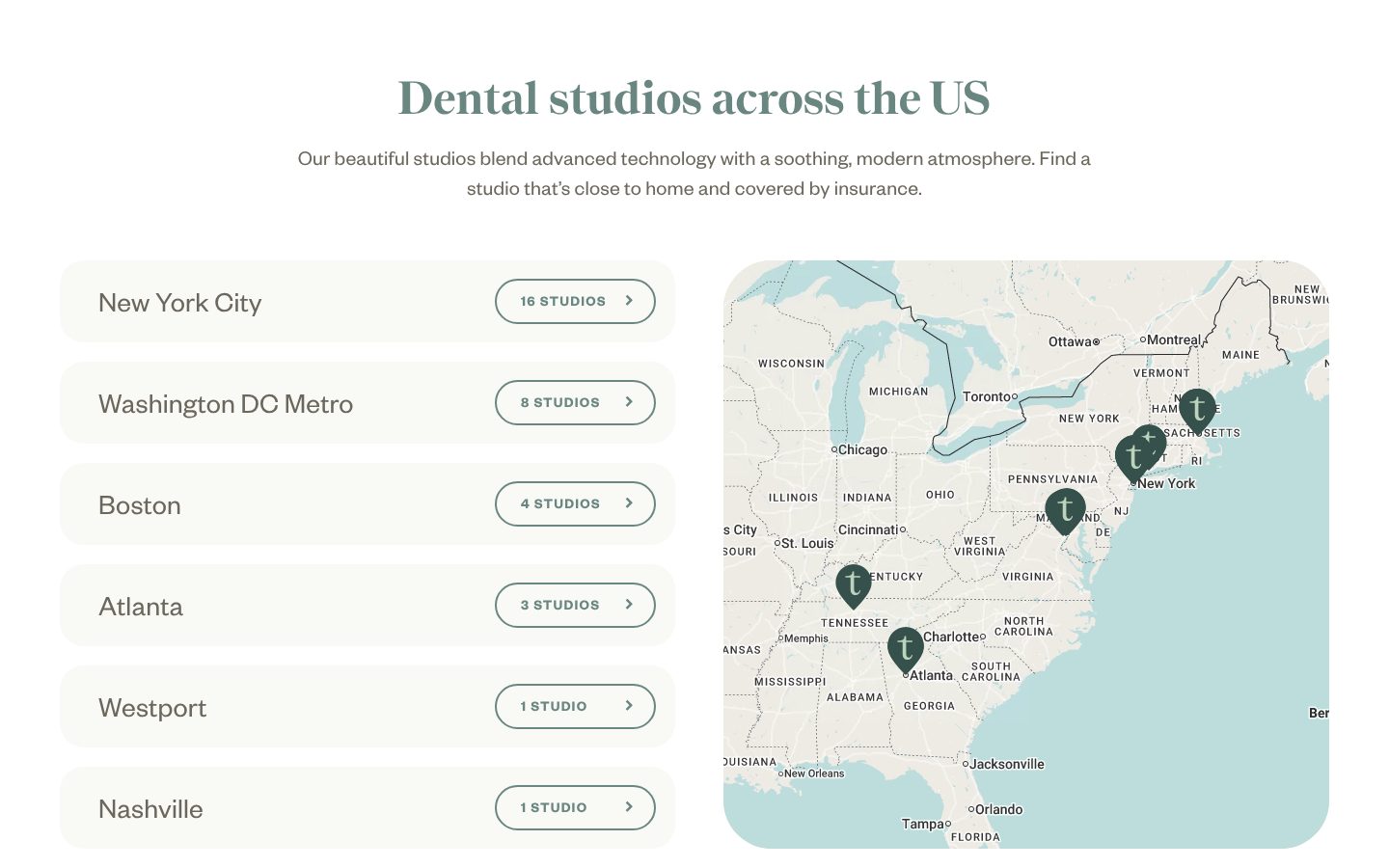
Example Tend. Every city, with the number of studios in it, beside a map.
- 1
A heading and one line: studios across the US, close to home.
- 2
Each city is a row a visitor can scan for their own, New York City first.
- 3
The number of studios in each city sits on a button with an arrow: 16 studios, 8 studios, 1 studio.
- 4
A map with every studio pinned, for people who think in neighbourhoods rather than lists.
Part 06 / 09
Who will come
For a service at home, the real question is who will knock on the door. A face, a name and the areas each person covers, with a recent review from a neighbour, turn “a cleaner” into someone a customer can picture.
Where it goes wrongA team photo with no names, or no people at all.
Picked for the design and what it says
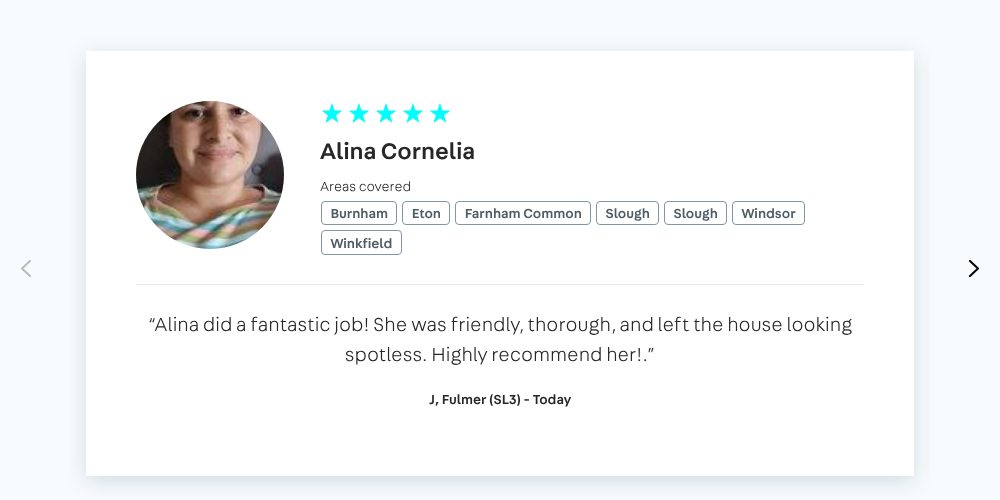
Example Housekeep. One cleaner, by name and face, with the towns she covers and a review from a nearby customer.
- 1
A real photo of the cleaner, not an illustration or a stock image.
- 2
Her name, with five stars above it.
- 3
The towns she covers, by name: Burnham, Eton, Slough, Windsor. A customer sees at once whether she works near them.
- 4
A review from a customer, signed with an initial, a town and the day it was written.
Part 07 / 09
How it works, in three steps
Hiring someone for the first time feels like a risk. Three short steps, from the first click to the job done, show a clear way through with nothing hidden in the middle.
Where it goes wrongNo steps at all, so the visitor has to call to find out what happens.
Picked for the design and what it says
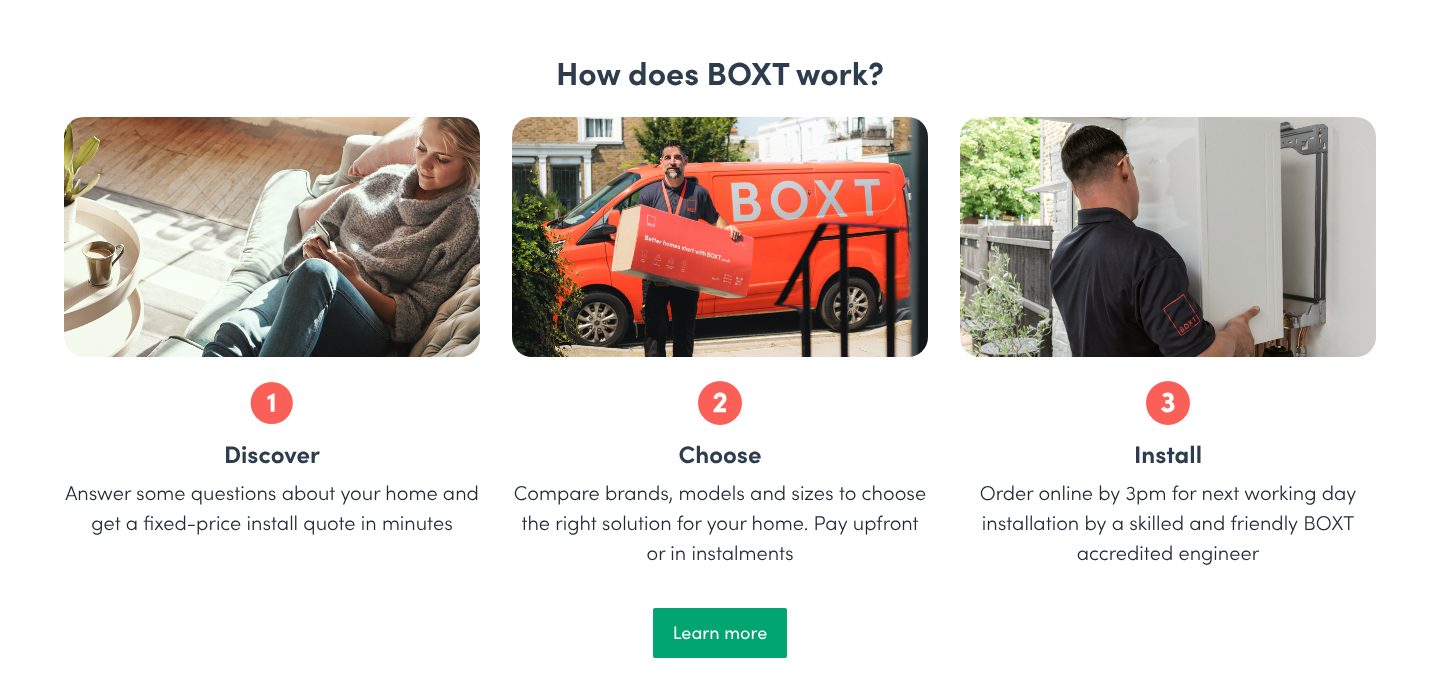
Example BOXT. Three steps with real photos, and a deadline that says when the job gets done.
- 1
A plain question as the heading: how does BOXT work?
- 2
Each step has a real photo: a customer at home, the van and the box at the door, an engineer at the boiler.
- 3
Step one is the quote: answer a few questions about your home and get a fixed price in minutes.
- 4
Step two is the choice, and how to pay: upfront or in instalments.
- 5
Step three makes the promise concrete: order by 3pm for installation the next working day.
Part 08 / 09
A page for every job
People search for the job, a plumber near me or a deep clean, not for your company name. A page for each service, and for each area you cover, gives Google something to show for every one of those searches, and gives the visitor a straight path to their job.
Where it goes wrongEvery service in one paragraph on a single page.
Picked for the design and what it says
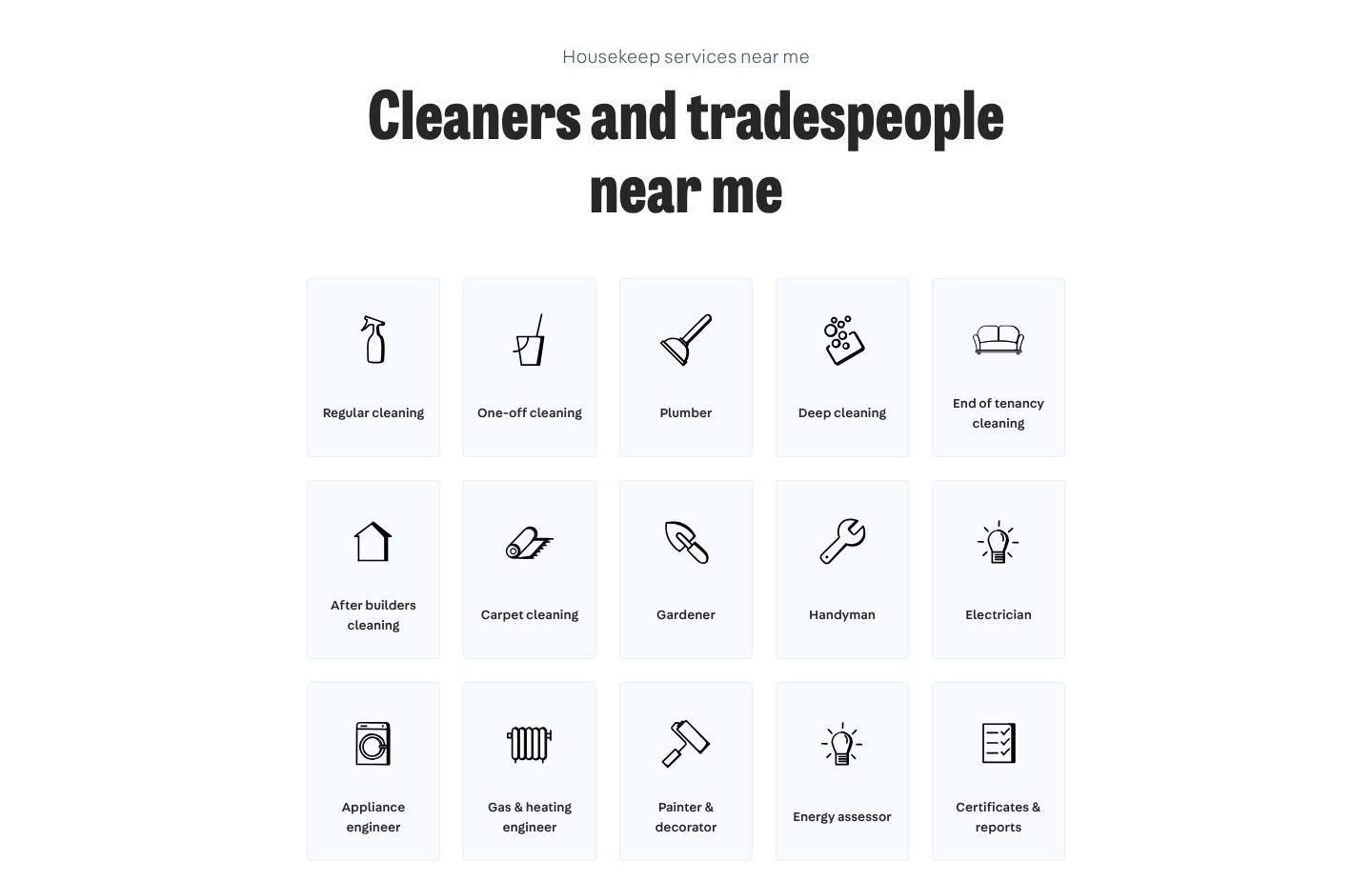
Example Housekeep. Every service as a tile of its own, each one a link to its own page.
- 1
The heading uses the words people type into Google: cleaners and tradespeople near me.
- 2
Each service is a tile with an icon and the name a customer would use: regular cleaning, plumber, deep cleaning.
- 3
Specific jobs get their own tile, such as end of tenancy cleaning, the exact phrase people search for.
- 4
Trades sit next to cleaning: gardener, handyman, electrician, painter. One business answers many searches, with a page behind each.
Part 09 / 09
Answers before the first booking
The same few questions come before every first booking: are you near me, do you do this, can I come as a new customer. Answering them on the page, in the words people search with, saves calls and gives Google text to show.
Where it goes wrongNo questions at all, or questions about the company instead of the customer.
Picked for the design and what it says
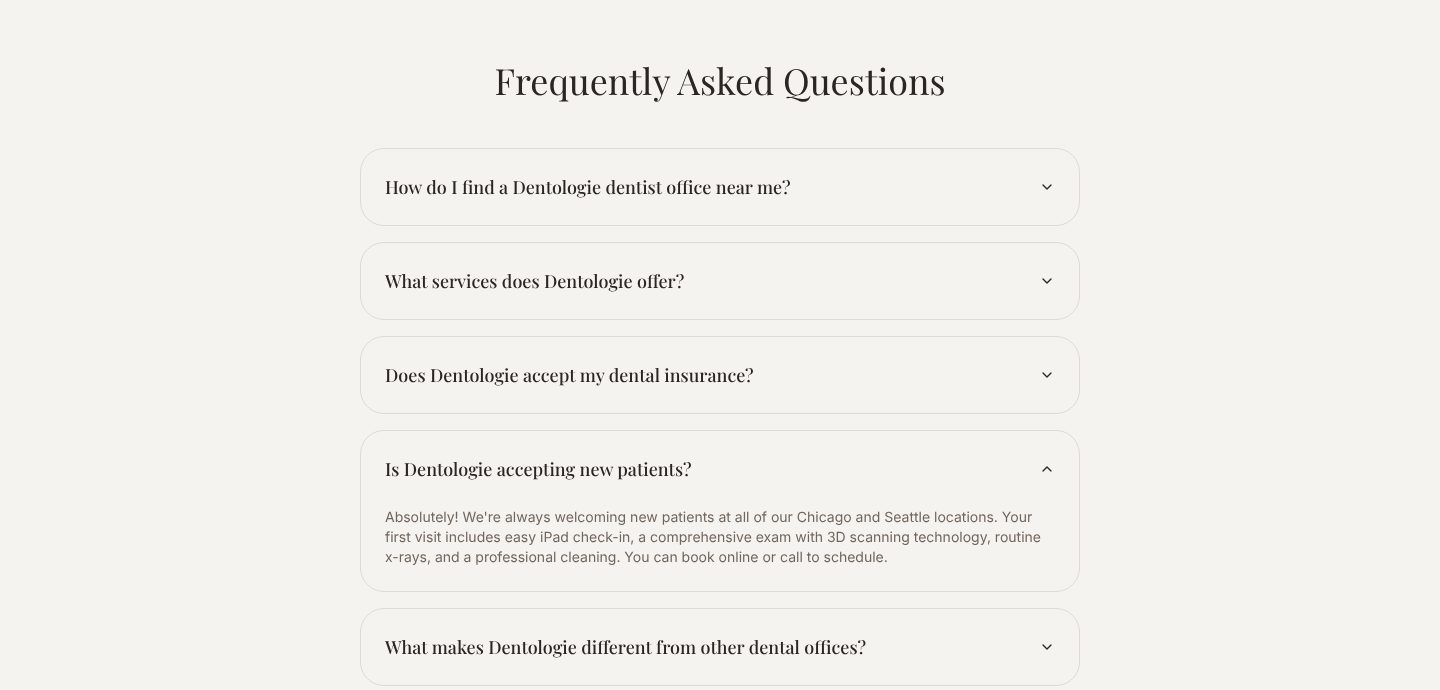
Example Dentologie. Five short questions a new patient asks, the first one about finding an office nearby.
- 1
The first question is the local one, in the words people type: how do I find a Dentologie dentist office near me?
- 2
The next one asks what they do, for the visitor who skipped the menu.
- 3
Answers are short and practical: new patients are welcome at every location, here is what the first visit includes, and here is how to book.
- 4
The last question invites the comparison every new customer makes: what makes Dentologie different from other dental offices?
The examples belong to their owners and are shown to explain an idea; the numbered frames are mine. Screenshots taken on 6 October 2026; the sites may have changed since.
Ask this about your site
Does a visitor know within a minute whether to call you?
A quick way to judge the site you have. Where the honest answer is no, the work goes to whoever answers faster.
- 01
Can someone see at once that you work in their town?
- 02
Can they get a price, or at least a range, without phoning?
- 03
Can they book at ten at night, when they finally have the time?
- 04
Do reviews and real photos show before they have to scroll far?
- 05
Does each service and each area you cover have a page of its own?
What makes a local services website sell
Lesson 01
Speed wins the job
The customer has a leak today or a move next week. The company that gives a price and a time first usually gets the work.
Lesson 02
Local is the point
People hire someone from their own town. Name the places you serve, and show work you did there.
Lesson 03
Reviews close the sale
A stranger is coming into the house. Other customers’ words do what your own cannot.
What a good local services website gives you
01
Bookings while you work
The site takes the enquiry, gives the price and holds the slot. You find it in your calendar instead of on voicemail.
02
Customers from every town you serve
A page for each town brings in people who search for the service where they live.
03
Fewer calls that go nowhere
People who saw the price and the area before they called are the ones worth picking up for.
What you get
A local site that brings calls and bookings, and that you can keep up to date yourself.
Designed around how your customers choose and built in Webflow, so prices, services, areas and reviews change without a developer. When the site needs more than Webflow gives, such as an instant quote calculator or booking tied to your own system, I build it in code. A fixed price after a short brief.
The pages
A home page built on the parts above, a page for each service and each area, about, and contact.
Booking and calls
Your booking tool on the page, such as Booksy, Fresha or Calendly, and a number that dials on tap.
Prices you can change
Starting prices or a quote form, built so you update the numbers yourself.
Reviews
Your Google rating and your best reviews on the page, next to the services they are about.
Found nearby
Service and area pages with titles, descriptions and the structured data Google reads for local businesses, in line with your Google Business Profile.
Help with the words
I shape the structure and edit your text, so it sounds like you and not like a template.
How a local services website should look and sound
Friendly, local and clear.
These are rules of thumb. The site itself is built around your brand, your clients and your taste.
Real photos
Your own team and your own work. Stock photos of smiling strangers are the fastest way to look like everyone else.
Warm, clean colours
Light backgrounds and one friendly colour. A home service should feel tidy and approachable, not corporate.
The phone and the button, always in reach
One tap to call and one tap to book, on every screen.
Proof near the top
Stars, the number of jobs done and real reviews, where a careful customer looks first.
Built for it
Example 02
The first question, answered first
Most visitors want to know one thing before anything else: do you come to my street. Answer it in a second and they stay to read the rest.
Do you come to my area?Sample data
Try:
Areas come from the CMSOne page per town
Example 03
Booked without a phone call
A visitor picks a day and a time and is done. You stop losing the people who would never have called.
Pick a timeSample data
Your visitChoose a time
Free slots come from your calendarNo phone call
Built by me
Cleaning services
Cleango
324 local pages from one CMS, moved to a new domain.
View case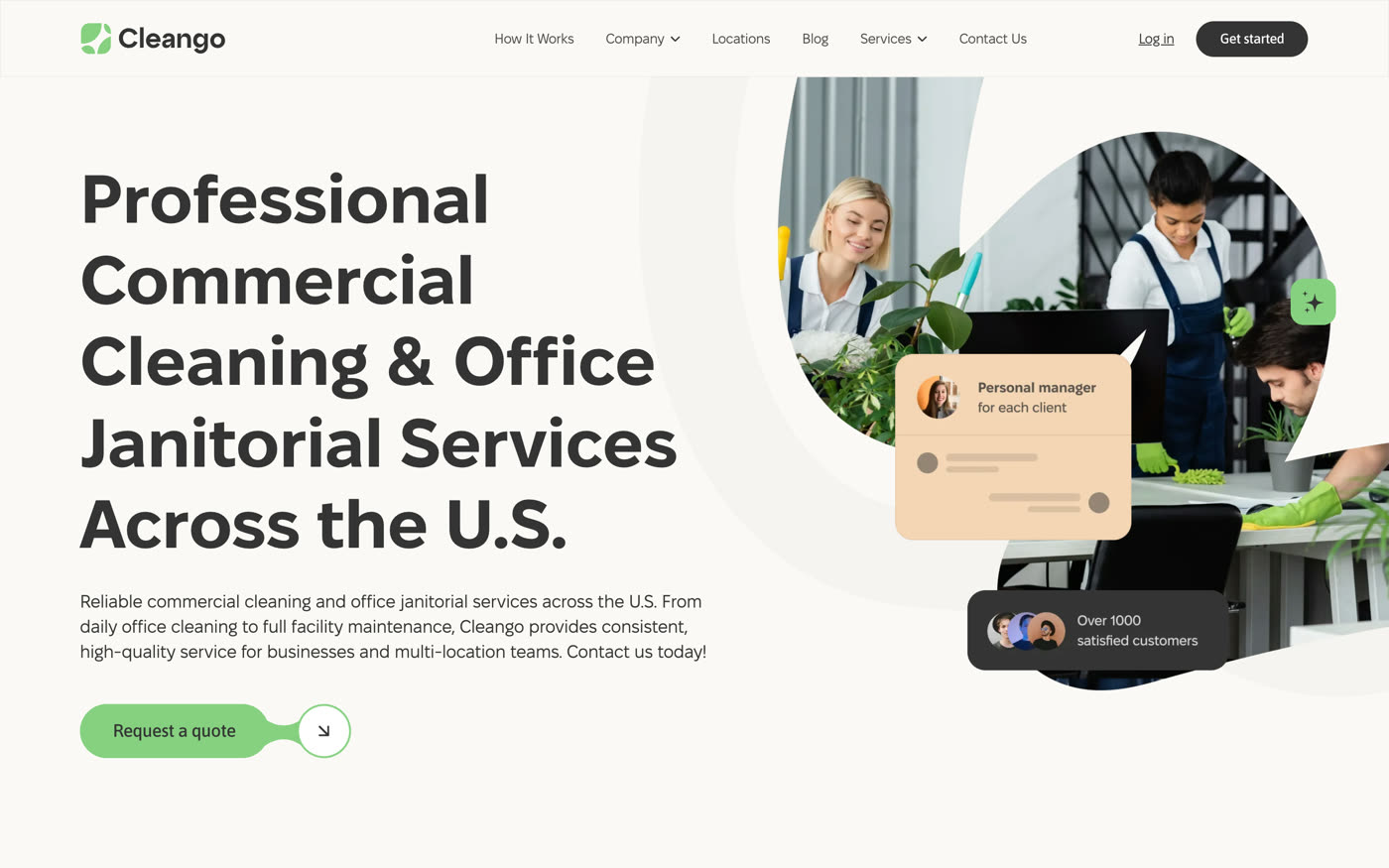
Home cleaning
Polina’s Cleaning
A booking-first site for a Minneapolis cleaning company.
View case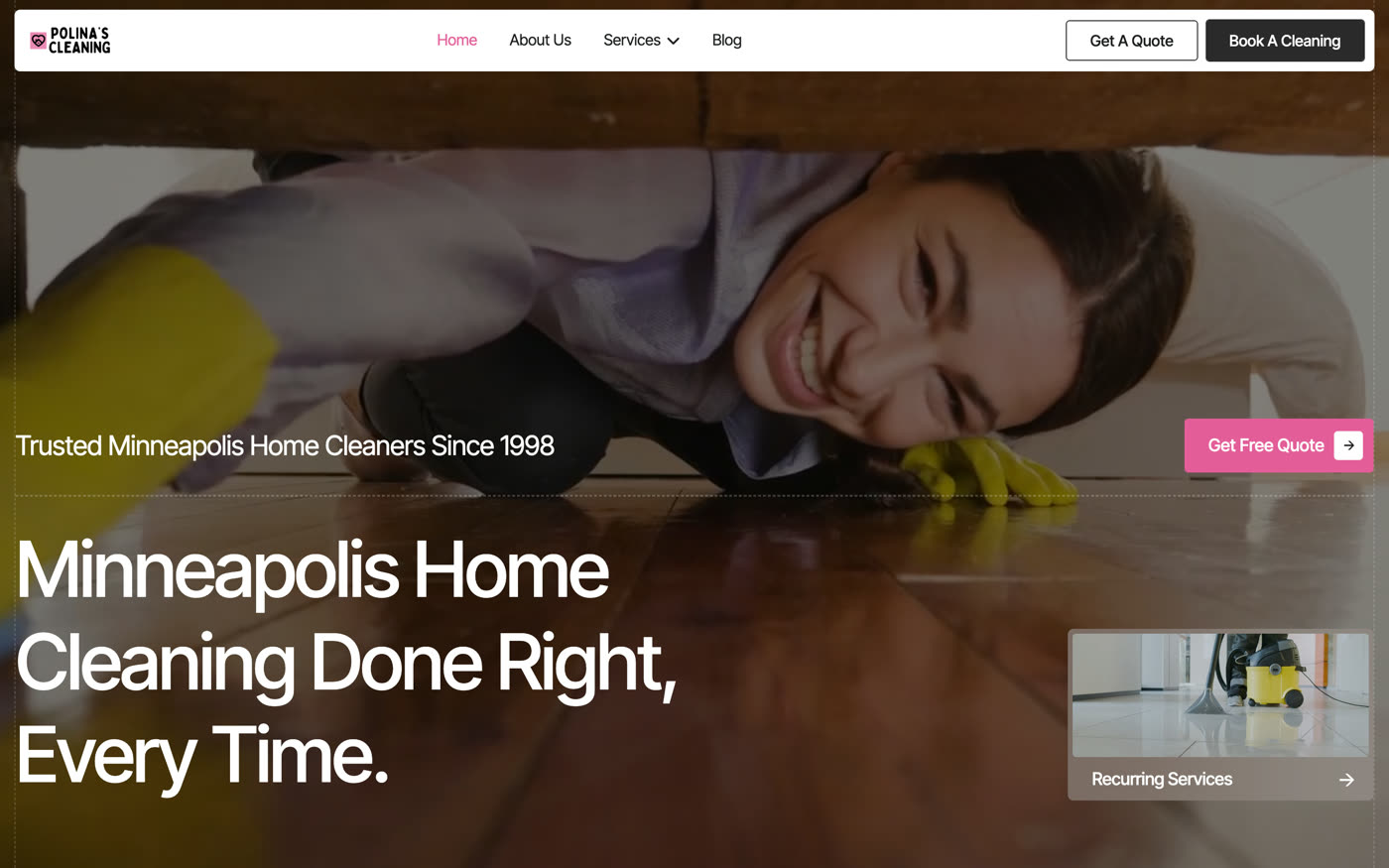
Moving company
Minute Men Movers
A site where every screen leads to a quote or a call.
View case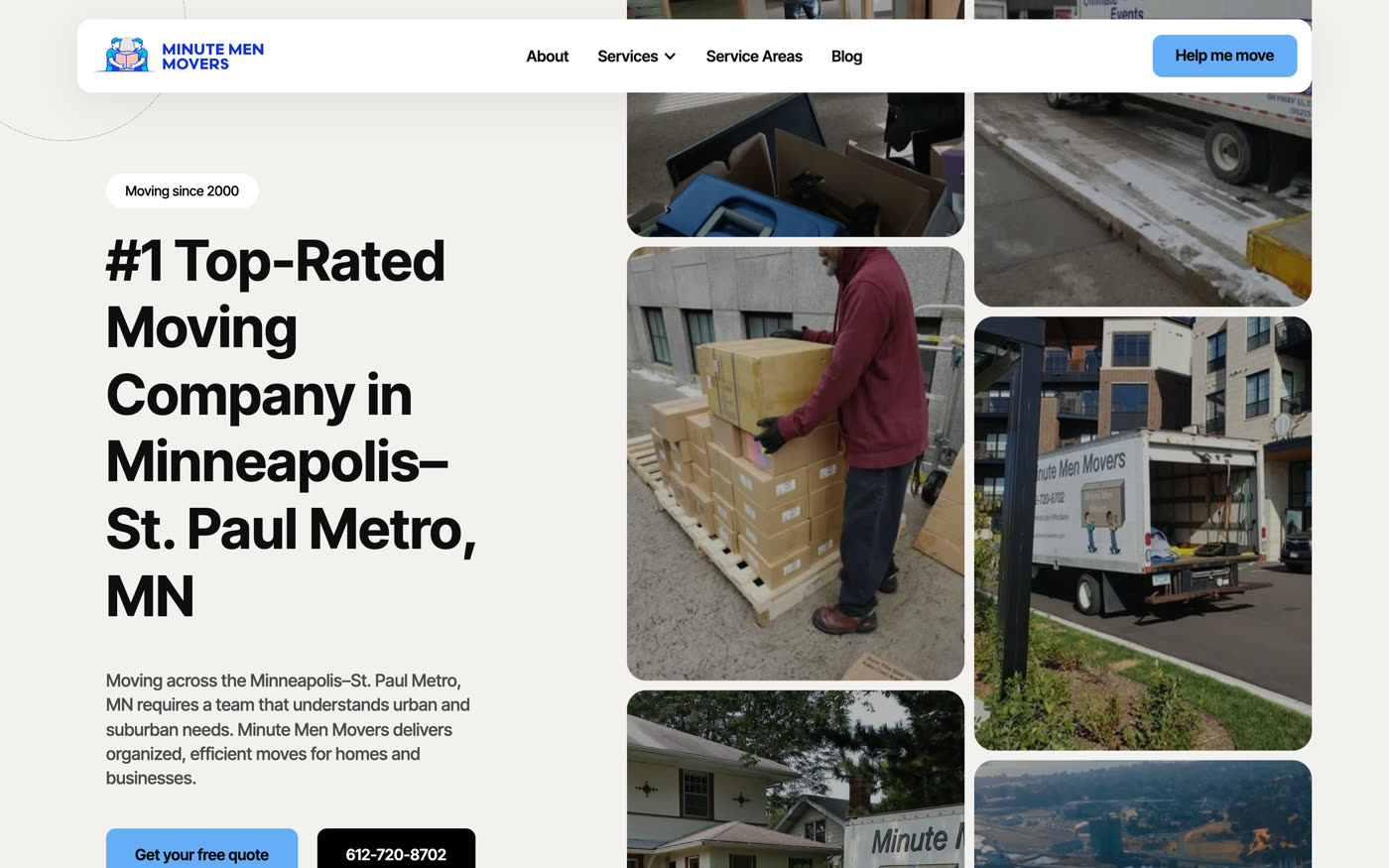
Questions
How do I know whether our site brings in work?
Count the bookings and calls that start on it. If you cannot tell, that is the first thing to fix: a tracked phone number and a booking form show what the site earns.
Most of our customers find us on Google Maps. Do we need a website?
Maps brings people to your listing, and many of them open the site before they call. That is where they check prices, services and reviews, and a good site turns more of those visits into calls.
We get most of our work from referrals. Do we need a better site?
Referred customers still look you up before they call. The site is where a recommendation turns into a booking, or into doubt.
Should we show prices?
At least a starting point for each service. It brings the right customers and saves you calls from people who were only asking.
Will people find us in every town we serve?
Each town gets a page with text of its own, not a copy with the name swapped. Rankings also depend on your reviews and your Google Business Profile, so the site and the profile have to say the same thing.
Do bookings land in the tool we already use?
Yes. The site hands over to your booking tool, such as Jobber, Housecall Pro or Booking Koala, with the details already filled in.
Can we change prices and services ourselves?
Yes. They are CMS items, so a change is filling in a form.
What it usually takes
New site or redesign
A new Webflow site, or a redesign of the one you have, designed and built by one person. Structure, copy, CMS and launch included.
Service
CMS and SEO at scale
Collections and templates that generate a page for every city, service or product, each with its own text, metadata and structured data.
Service
Speed score optimization
Images, scripts, fonts and settings tuned inside Webflow, measured before and after. Faster pages rank better, lose fewer visitors and use less bandwidth.
Service
Your site
Want me to look at your site?
Next
Education and courses
03 / 12